Manje čekanja
Gost naruči kad je spreman, bez čekanja prve slobodne osobe.
QR naručivanje za moderne lokale
TableGoo povezuje QR jelovnik na stolu, telefon gosta i radni ekran osoblja. Bez aplikacije za gosta, bez prepisivanja narudžbi i bez ponovnog tiskanja jelovnika za svaku promjenu cijene.
Kako radi
Vlasnik odmah vidi što dobiva gost, što radi osoblje, što uređuje admin i što mi pripremimo prije prvog dana.
Za gosta
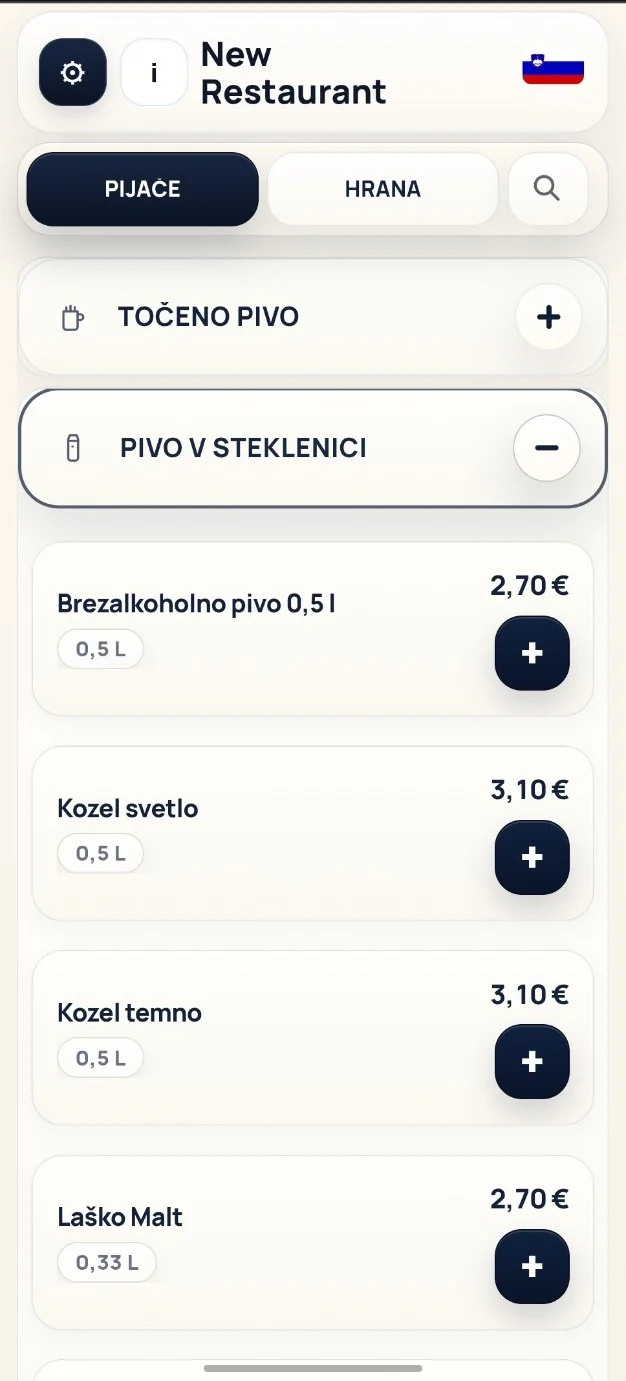
Gost ne instalira aplikaciju i ne otvara račun. Jelovnik se otvori u pregledniku, jezik se može promijeniti, a narudžba se šalje osoblju tek kada gost potvrdi košaricu.
Za osoblje
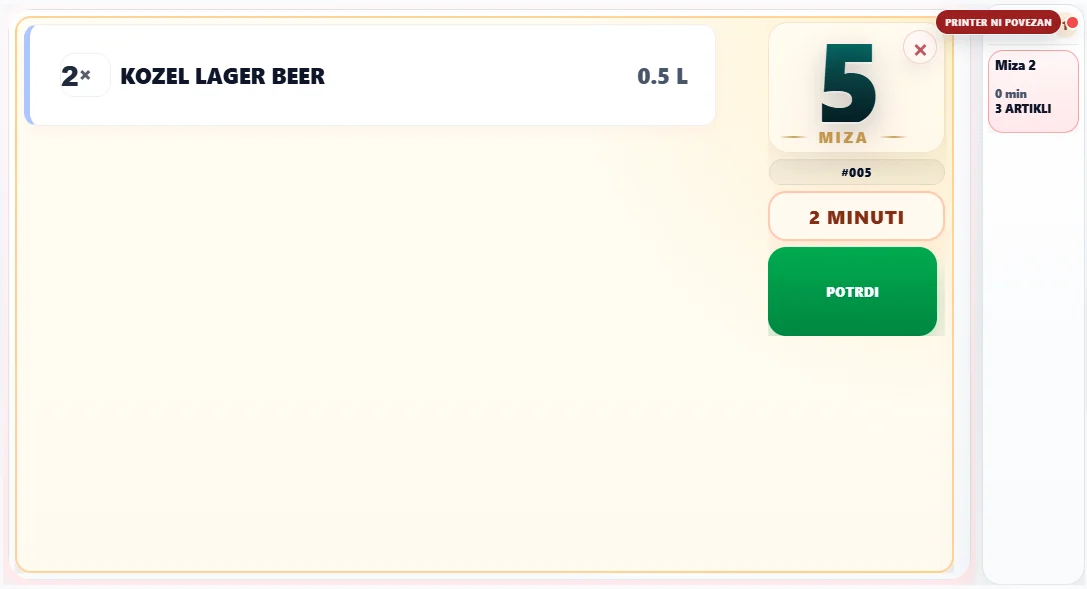
Osoblje vidi stol, vrijeme, artikle, količine, napomene i status. Klic stola i zahtjev za račun dolaze na isti radni ekran, da se ne gube u gužvi.
Za vlasnika
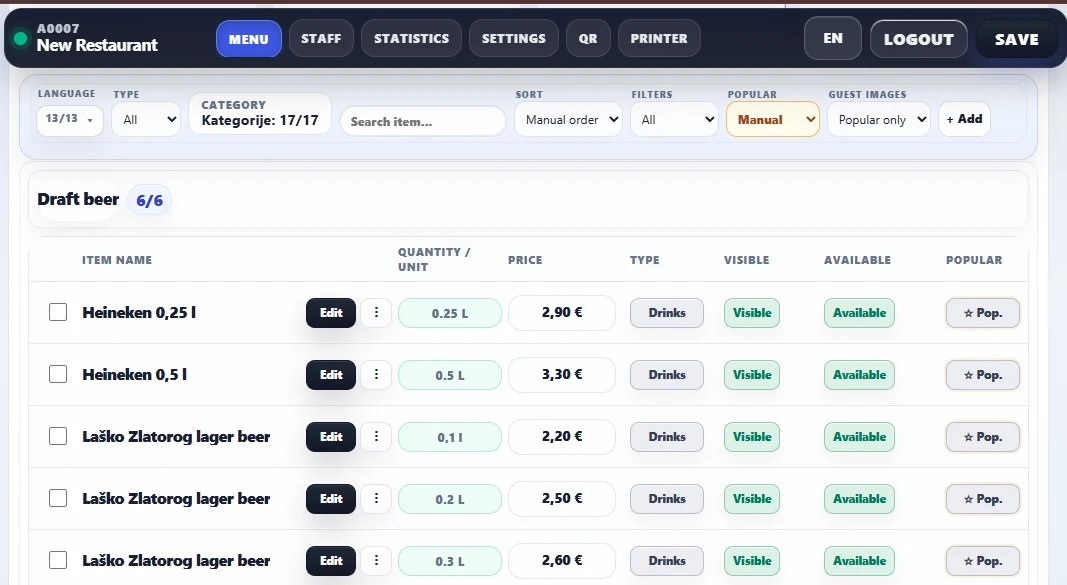
Vlasnik ili voditelj može uređivati ponudu bez programera: cijene, vidljivost, dostupnost, kategorije, popularne artikle i jezike. QR naljepnice ostaju iste.
Uvođenje
Za početak trebamo logo, jelovnik, cijene, jezike i broj stolova. Mi unesemo ponudu, pripremimo QR naljepnice i napravimo kratki test s osobljem.

Što lokal dobiva
TableGoo nije samo digitalni meni. To je mirniji tok narudžbe za gosta, osoblje i vlasnika.
Gost naruči kad je spreman, bez čekanja prve slobodne osobe.
Količine, napomene i broj stola su zapisani digitalno.
Cijene i artikli se mijenjaju u adminu, naljepnice ne treba tiskati ponovno.
Osoblje vidi stolove, narudžbe, vrijeme čekanja i zahtjeve na jednom mjestu.
Stvarni tok narudžbe
Jedan pogled odjednom: prvo gost, zatim ekran osoblja. Bez tehničkih linkova, bez internih oznaka i bez nepotrebno dugog scrolla.
Gost skenira QR, otvori jelovnik, doda artikle i pošlje narudžbu.
Na istom toku osoblje vidi stol, vrijeme čekanja, artikle i potvrdu narudžbe.
Mi sve pripremimo
Pošaljete logo, jelovnik, cijene i broj stolova. Mi pripremimo demo s vašim logom, QR stolovima i realnim tokom narudžbe.
Sljedeći korak
Pošaljite jelovnik i broj stolova. Pripremimo demo s vašim logom, cijenama i QR stolovima.